1. Open your Shopify store
2. Open the "Slingshot Automotive" app

3. Click the "Settings" tab

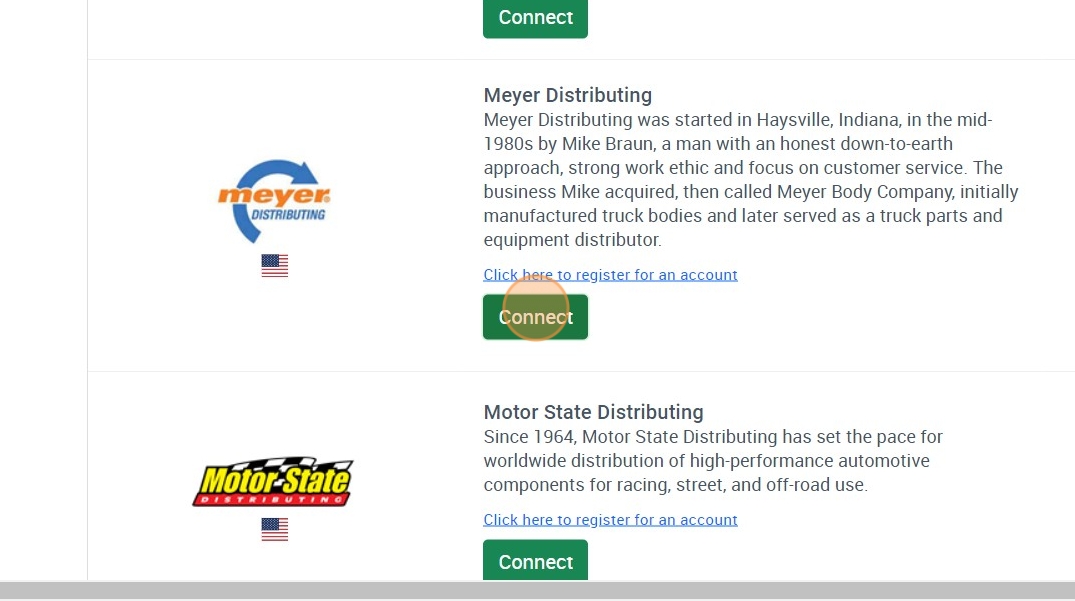
4. Scroll down to Meyer and click "Connect"
5. Email Support@dataheretothere.com and request an FTP be created for you for Meyer. Include the name of your store and URL in this email.
6. Email api@meyerdistributing.com and let them know you would like your data feed set up and that you are using Data Here to There / Slingshot. Please include your customer/account number in the email.
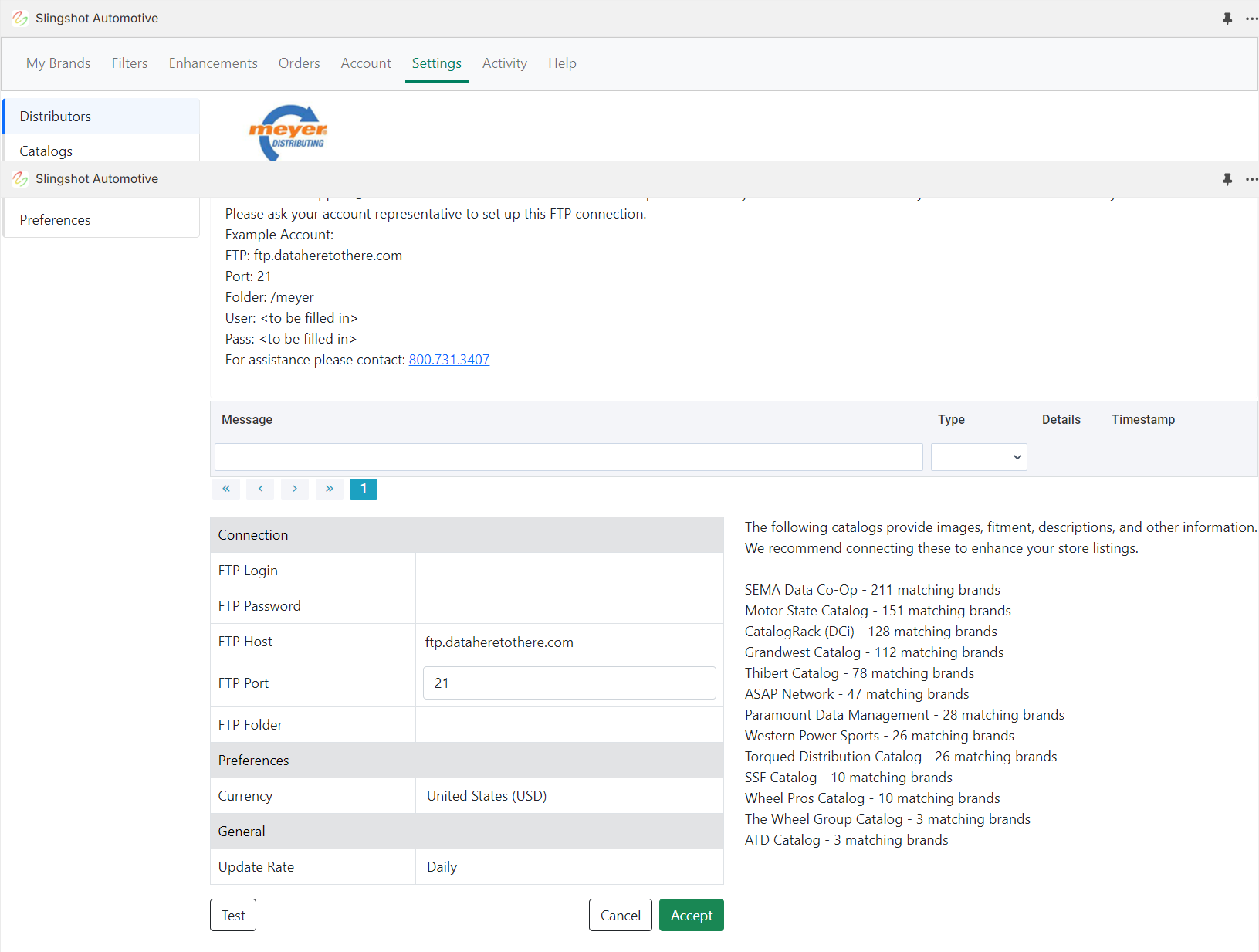
7. Enter the credentials provided by DH2T Support into the Meyer connection window, and click "Accept"
Was this article helpful?
That’s Great!
Thank you for your feedback
Sorry! We couldn't be helpful
Thank you for your feedback
Feedback sent
We appreciate your effort and will try to fix the article