Please note that currently Slingshot does not have the option to save changes for brands added in the future. So if you map all your categories and save changes to all brands. So if you later add new brands, you will have to map the categories again to save changes to the new brands. We suggest waiting to map your categories until you have all the brands you want added to your "My brands".
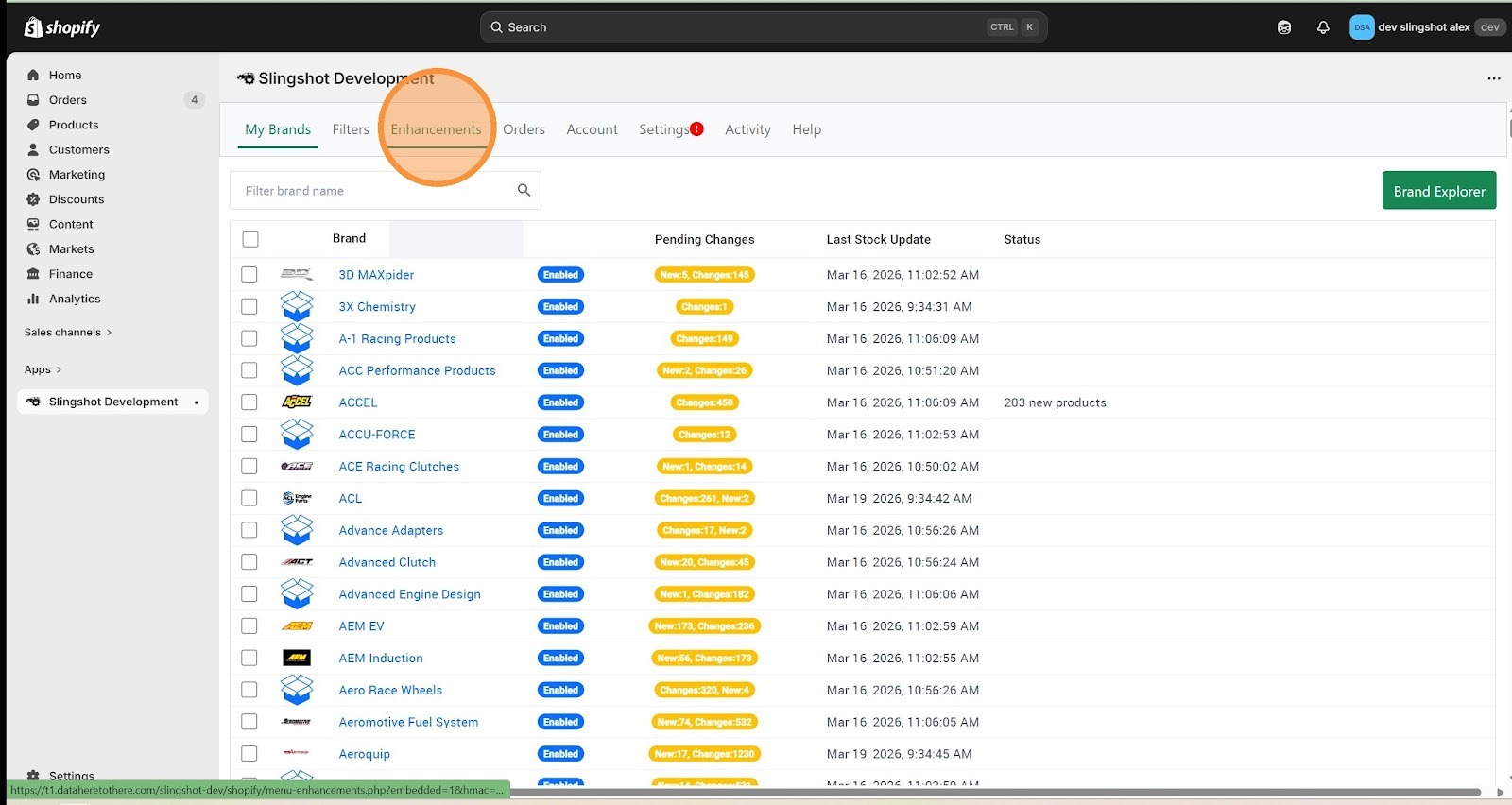
1. Click "Enhancements"
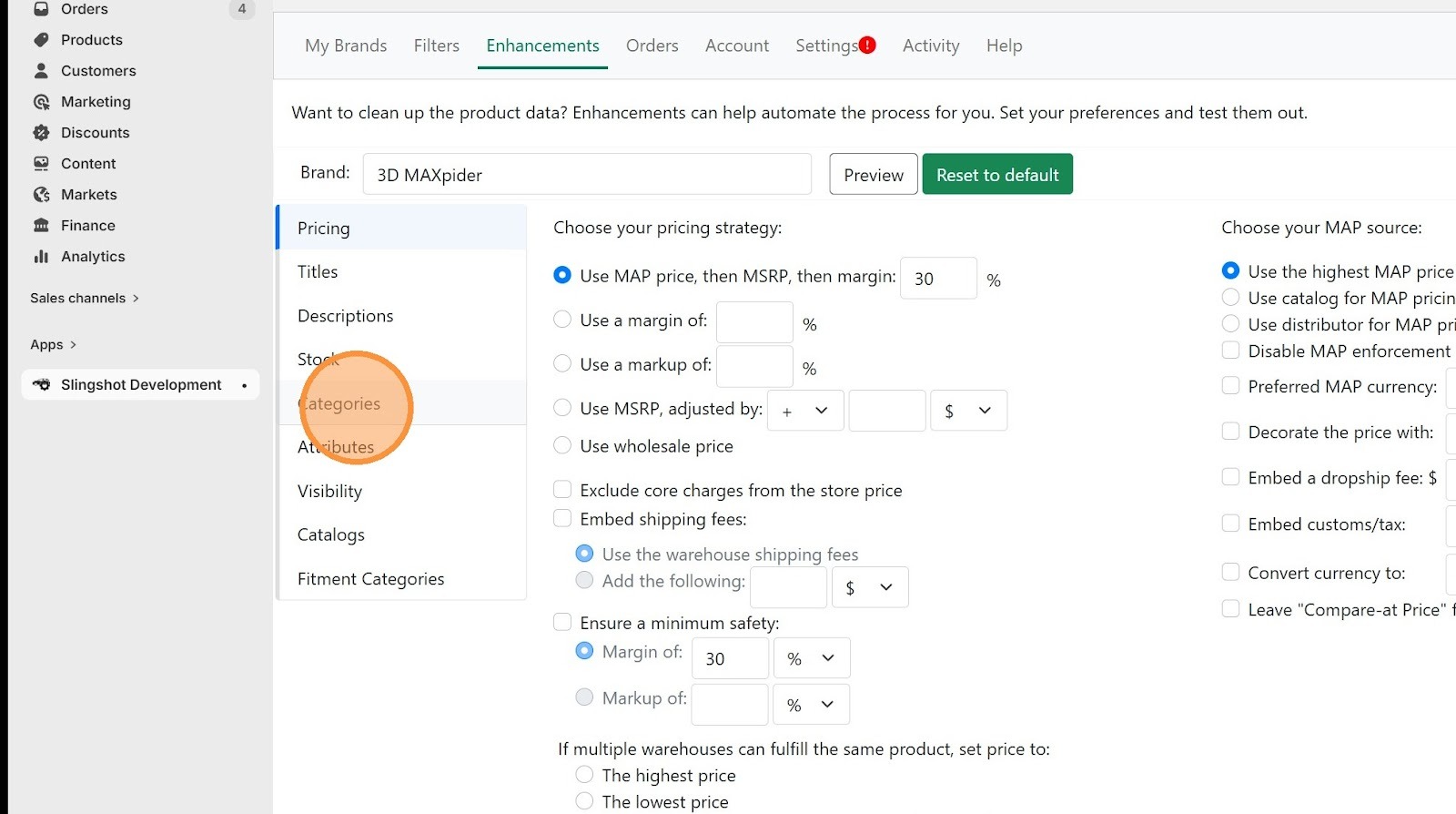
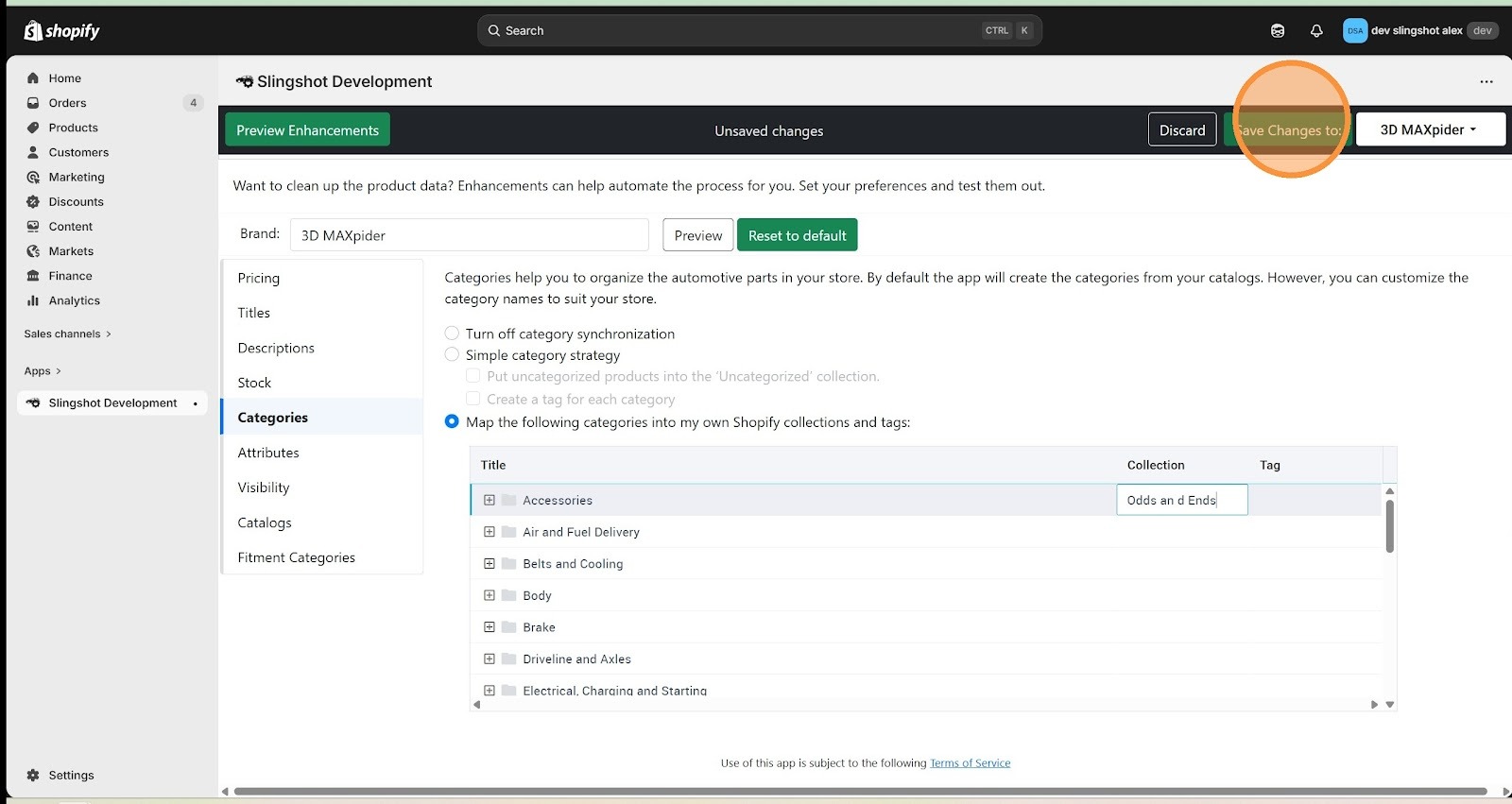
2. Click "Categories"
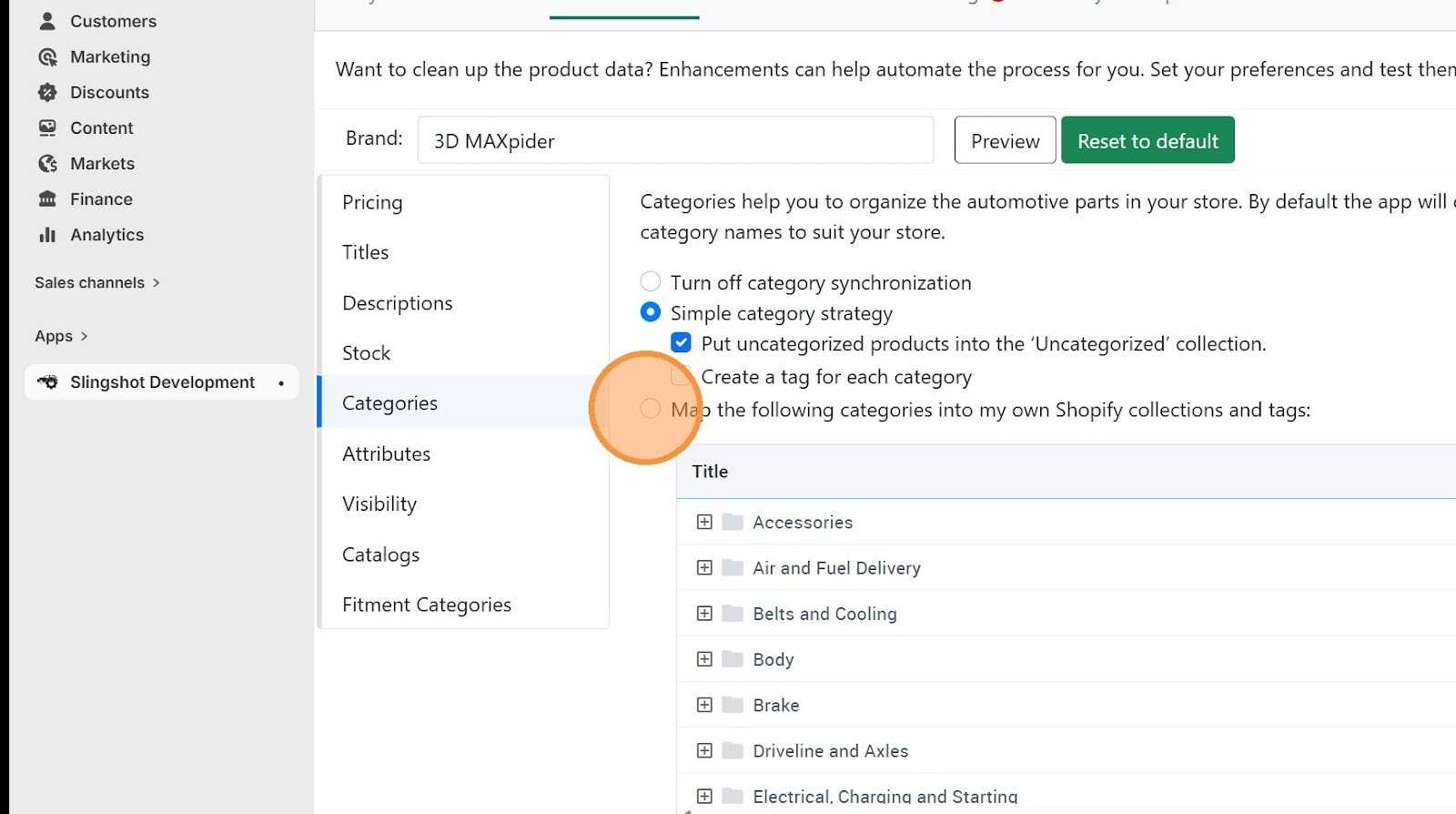
3. Click "Map the following categories to my own Shopify collections"
4. Click into the text box under the "Collection" heading and add you existing Shopify collection name. Make sure the capitalization, spacing, and punctuation is an exact match. You may prefer to copy the name from the Shopify collection and paste it into the text box.
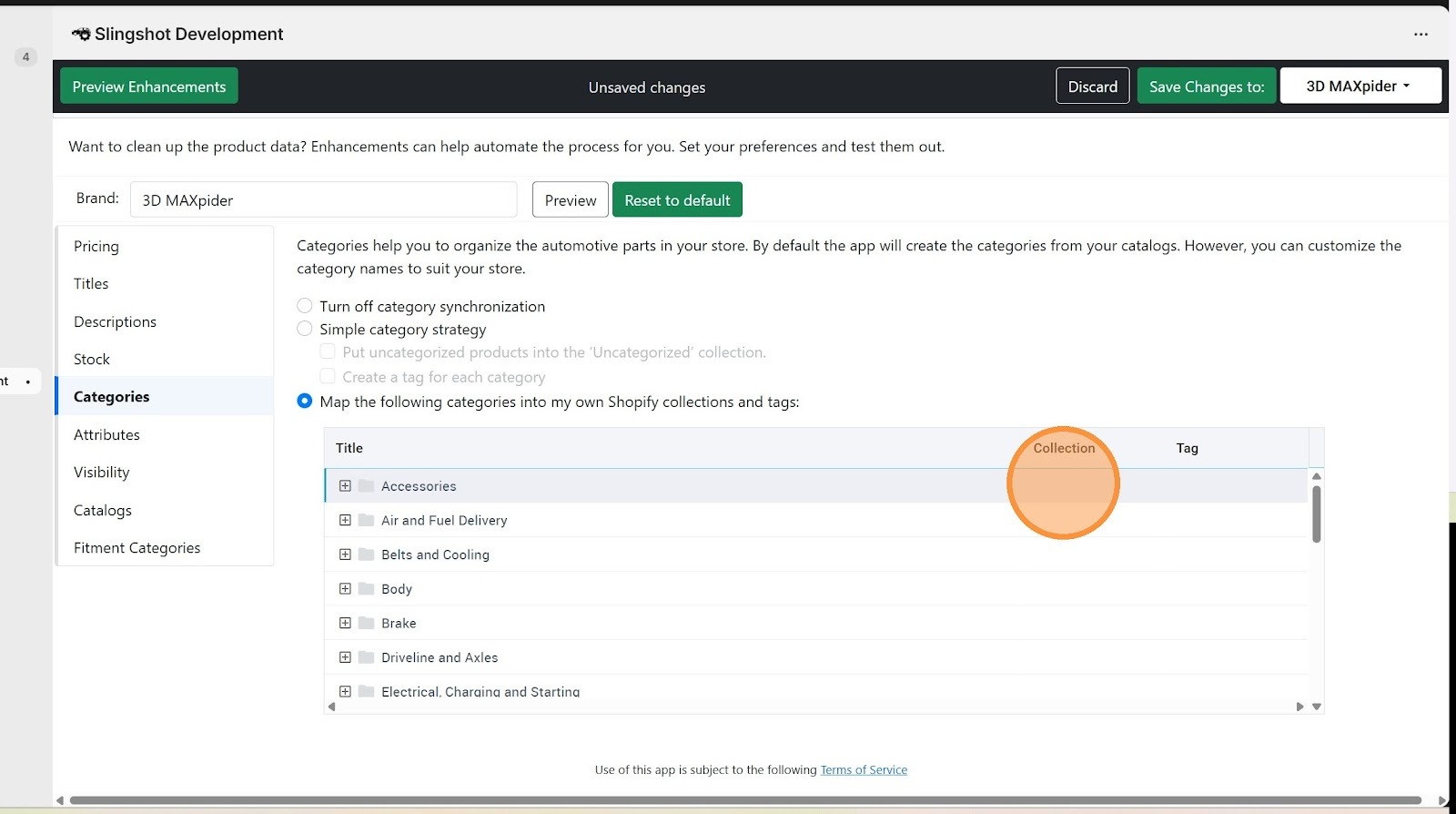
5. Click "Save Changes to:" and select the brand you want, or all brands.
Was this article helpful?
That’s Great!
Thank you for your feedback
Sorry! We couldn't be helpful
Thank you for your feedback
Feedback sent
We appreciate your effort and will try to fix the article