We currently tag products based on if Turn 14 has designated them Non-CARB Compliant or not. CARB only blocks products from shipping to California, and in some cases, New York. No other shipping restrictions are in place currently as far as we know. There's two tags:
Non-CARB:Y - These are the products that are not CARB compliant and cannot be shipped to California
Non-CARB:N - These are products that are CARB compliant and can be shipped to California
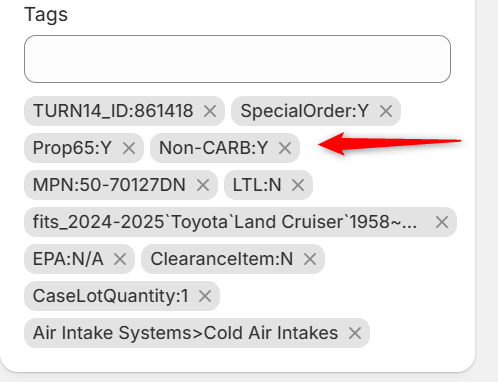
These tags can be used to display on the product page if a product is compliant or not. While you can't set up shipping profiles based on tags, Shopify support did direct us towards apps that may be able to help with automatically assigning products with certain tags to certain profiles.
Please keep in mind that we haven't personally tested any of these; they're simply suggestions to give you an idea of what might be helpful.
Shipping Tags ‑ Shipping Rules
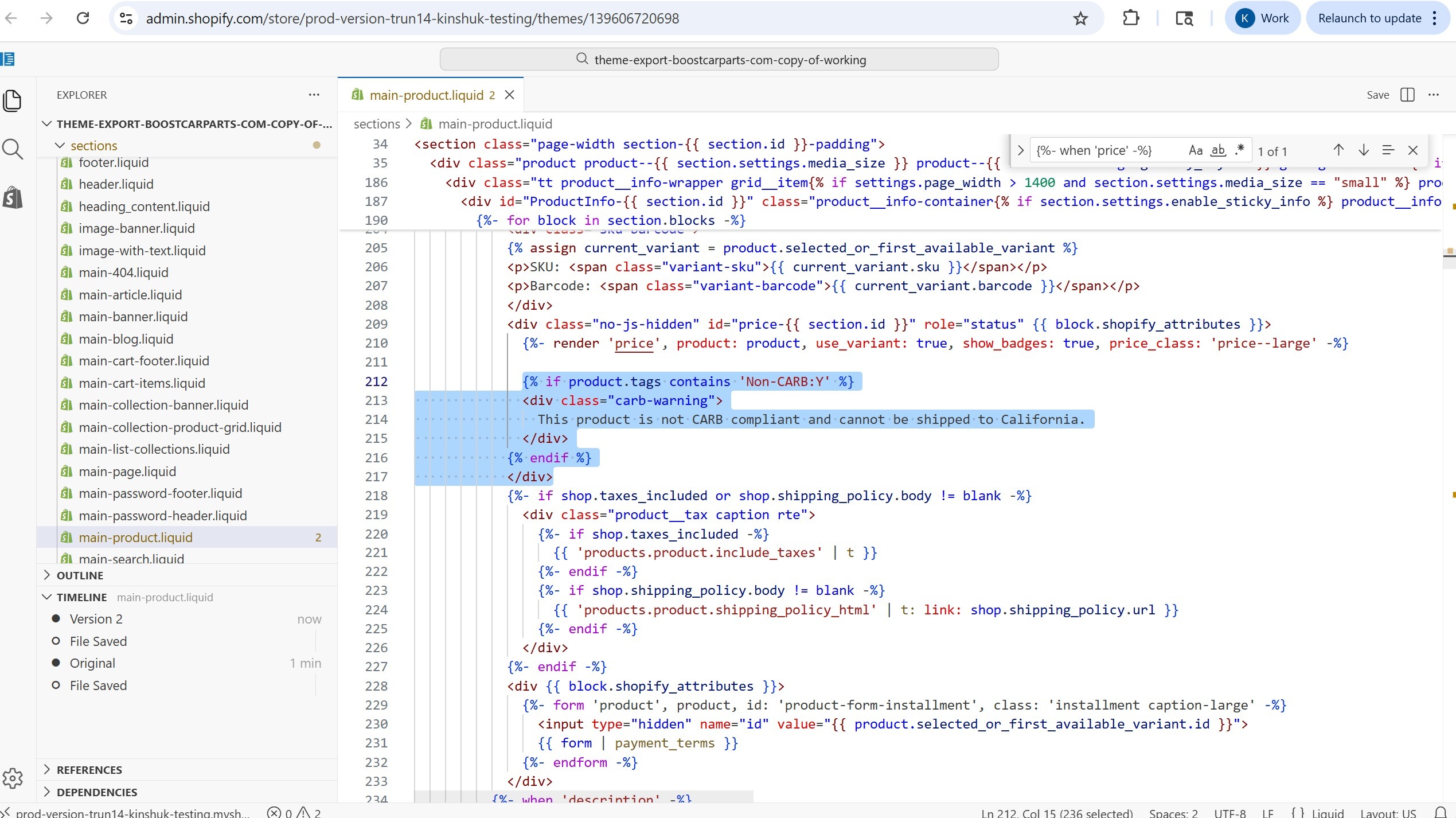
Then there's a simpler approach prior to the customer adding the product to the cart and might need the theme developers help as it is using theme liquid code changes. If we add this logic in main-product.liquid file (In Shopify admin: Go to Online Store, then Themes, then click … (three dots) and Edit code:
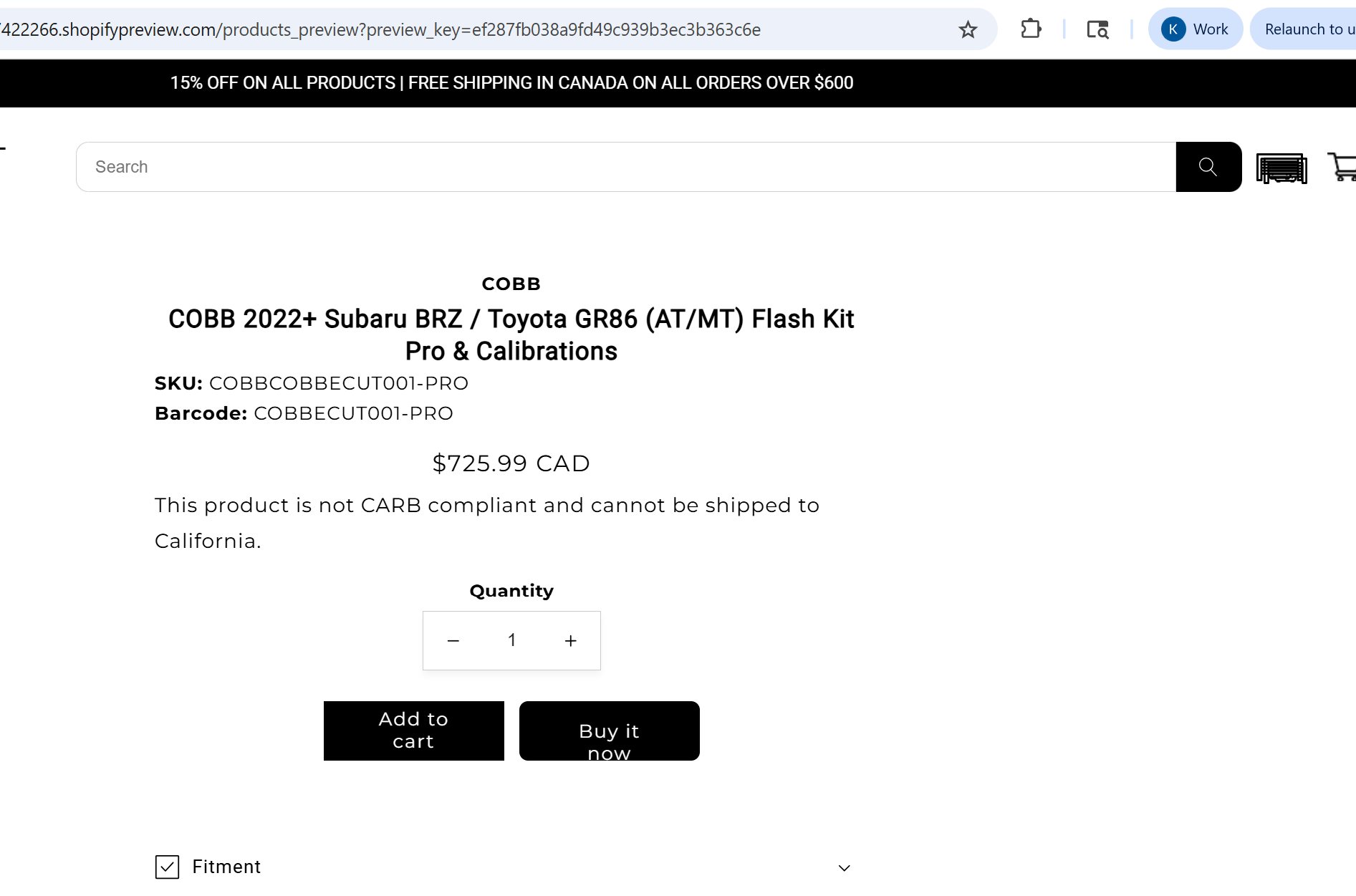
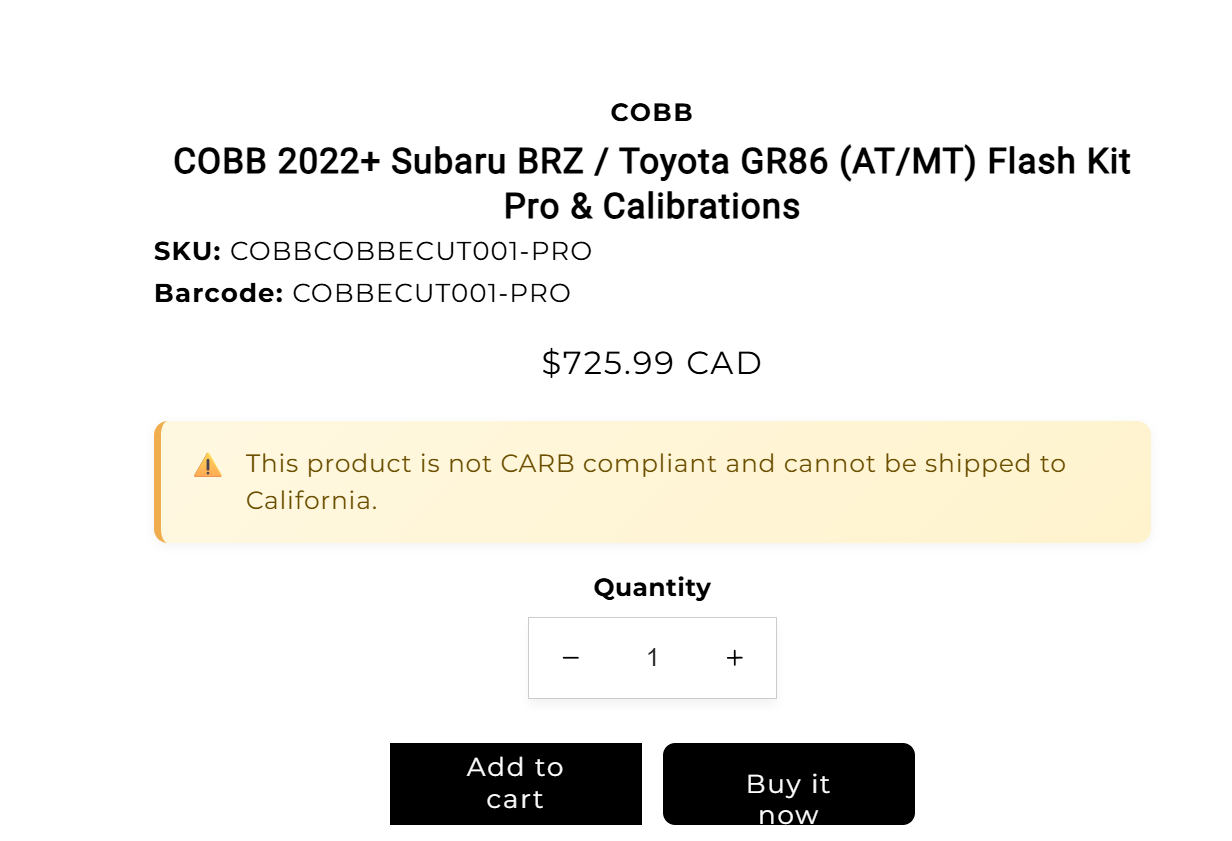
The results on products which are CARB restricted will be a pop-up message:
 You might also need to adjust the CSS code in assets/base.css OR theme.css file, for this new CARB warning message. Here is a sample you can use of the CSS code which will enhance the warning message.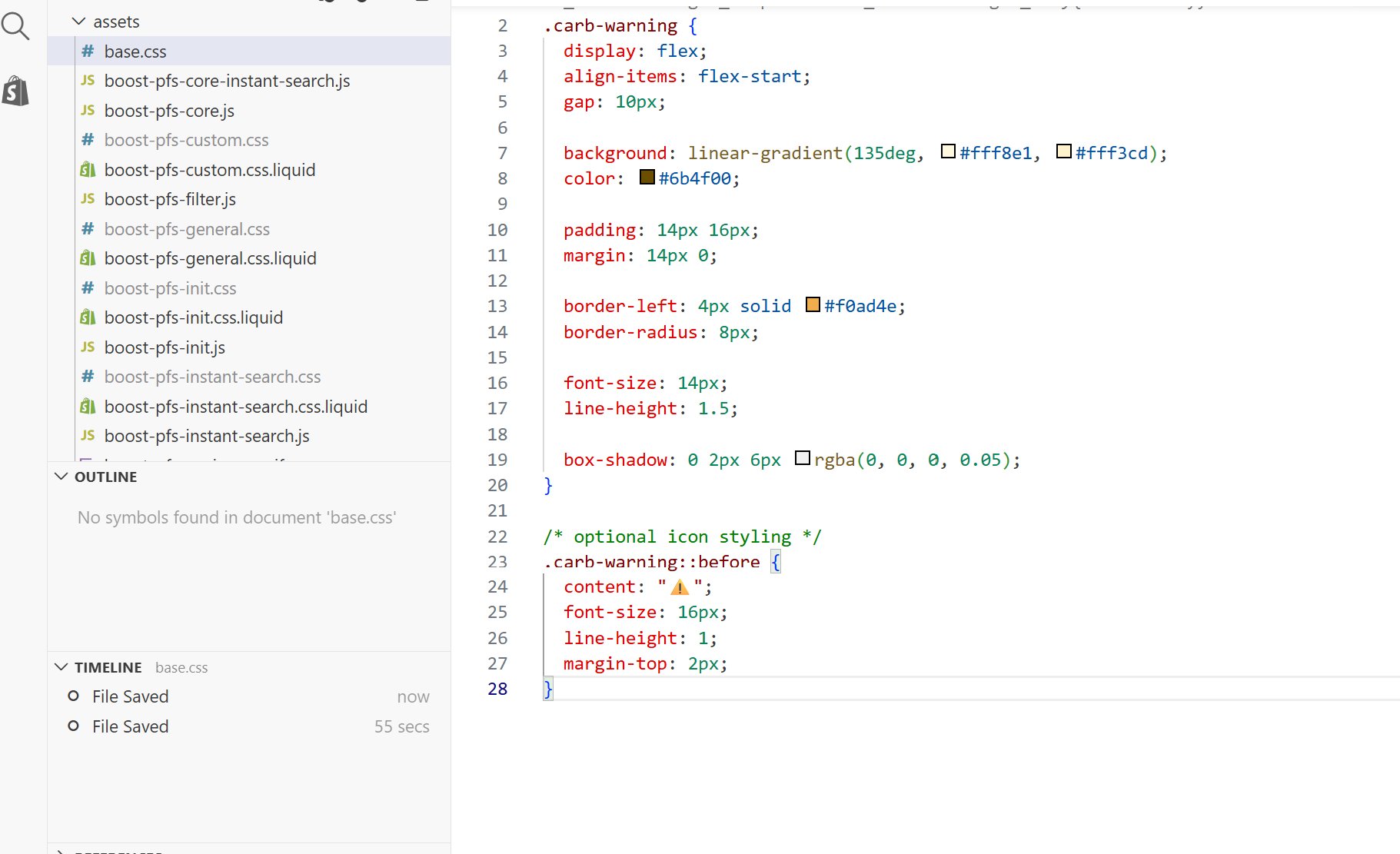
Was this article helpful?
That’s Great!
Thank you for your feedback
Sorry! We couldn't be helpful
Thank you for your feedback
Feedback sent
We appreciate your effort and will try to fix the article