1. Open your Shopify store
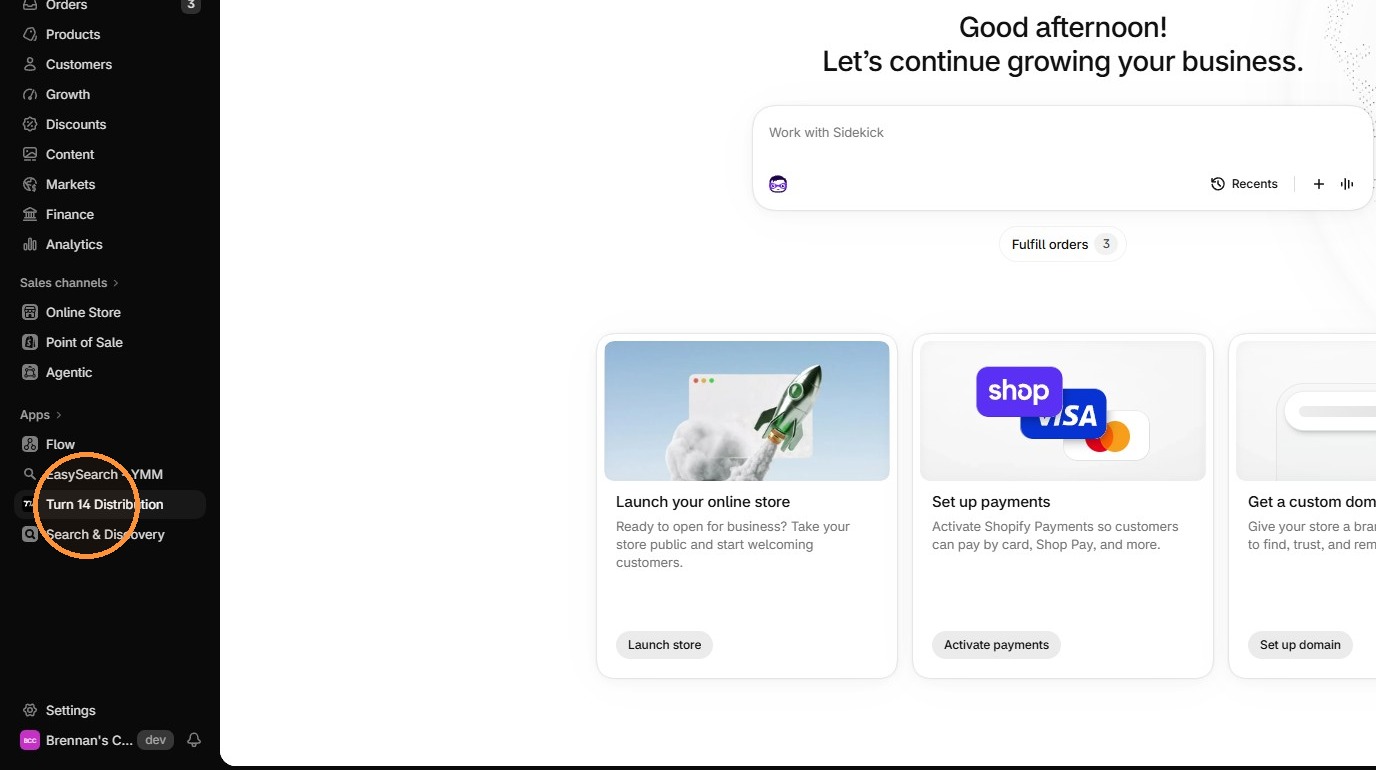
2. Open the "Turn 14 Distribution" app
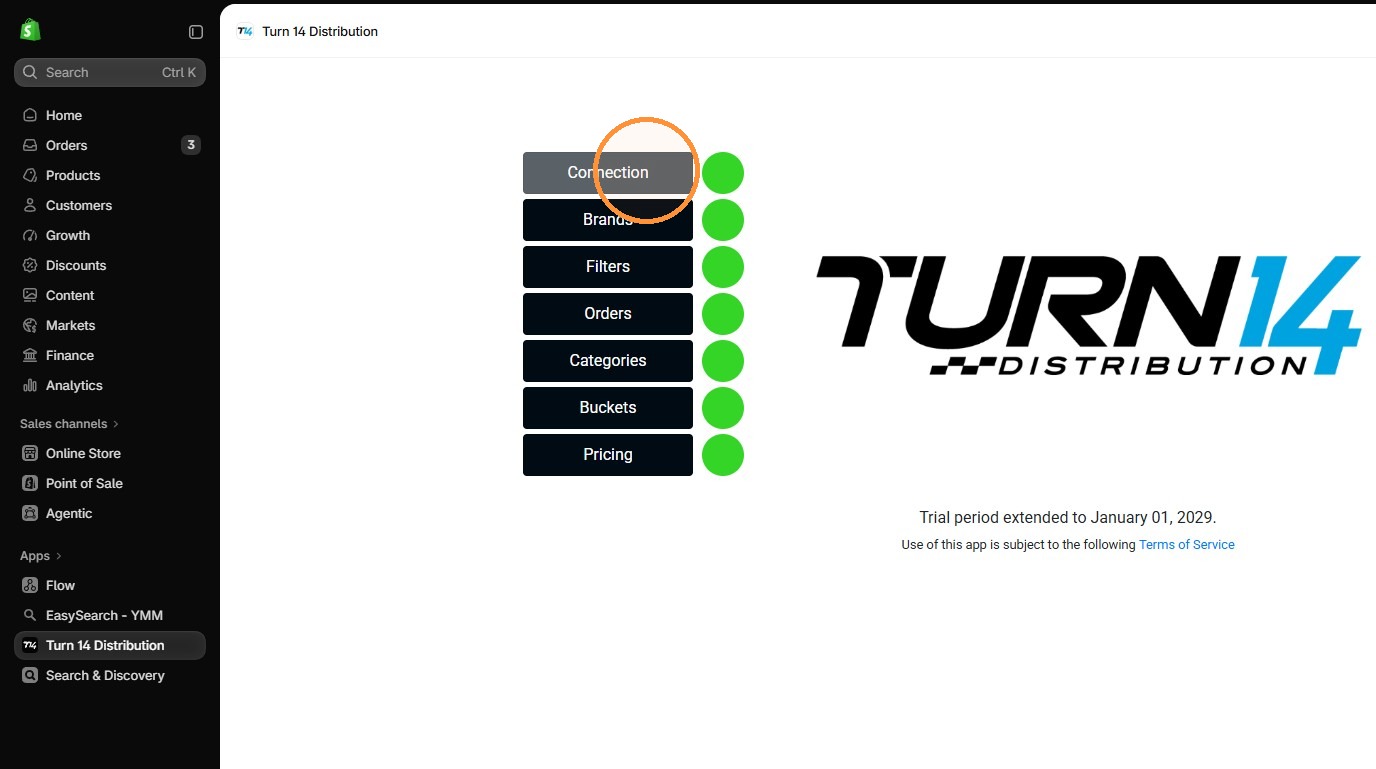
3. Click "Connection"
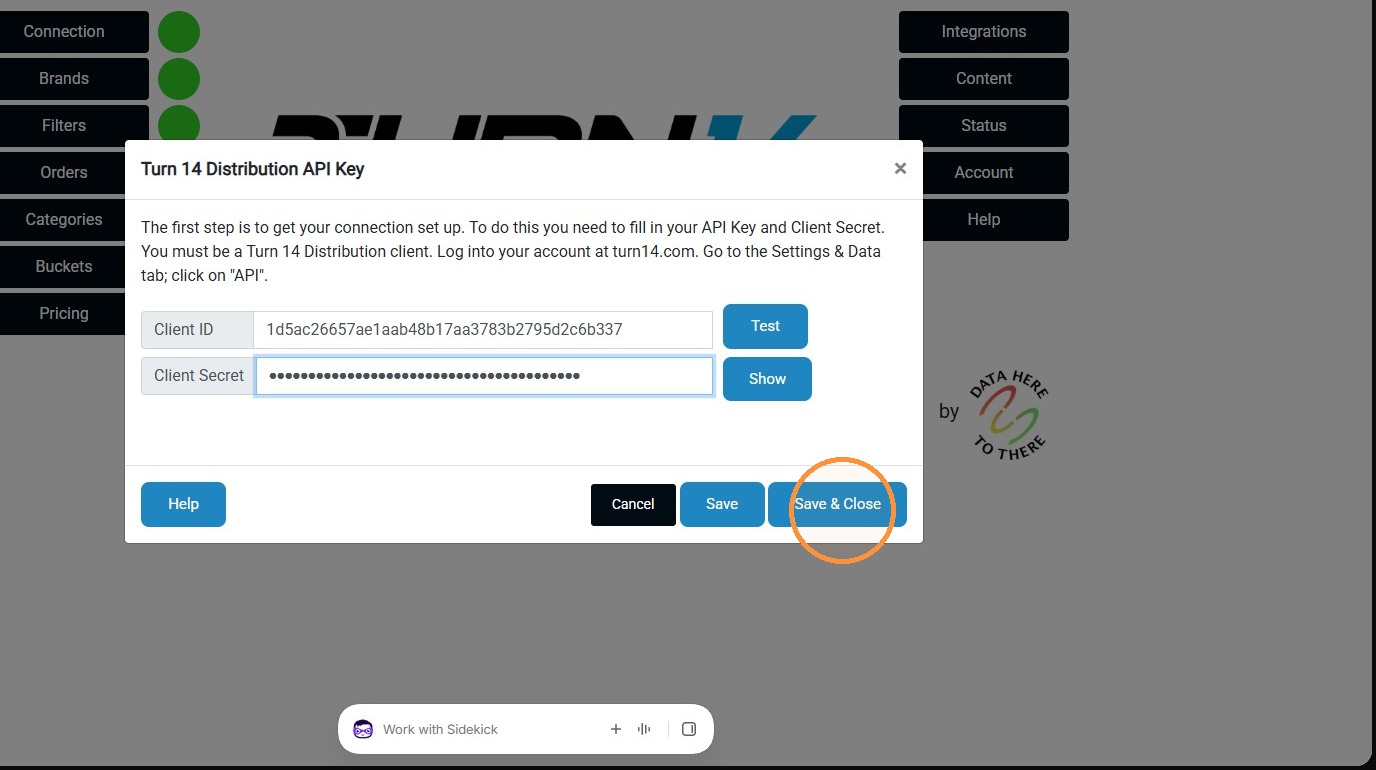
4. Enter your API Client ID and Secret, then click "Save & Close"
(To find these credentials, log into your account at turn14.com. Go to the Settings & Data tab; click on "API")
Was this article helpful?
That’s Great!
Thank you for your feedback
Sorry! We couldn't be helpful
Thank you for your feedback
Feedback sent
We appreciate your effort and will try to fix the article