You have a few options on how to handle backorders and manufacturer inventory:
1. If you only want to allow orders only when Turn 14 and/or the manufacturer has inventory you need to enable manufacturer inventory, and disable backorders:
If you have manufacturer inventory enabled and backorders disabled and manufacturer inventory is in stock
- Listing remains active
- Orders can be processed
If you have manufacturer inventory enabled and backorders disabled and manufacturer inventory is out of stock
- Listing is inactive
- Orders cannot be processed
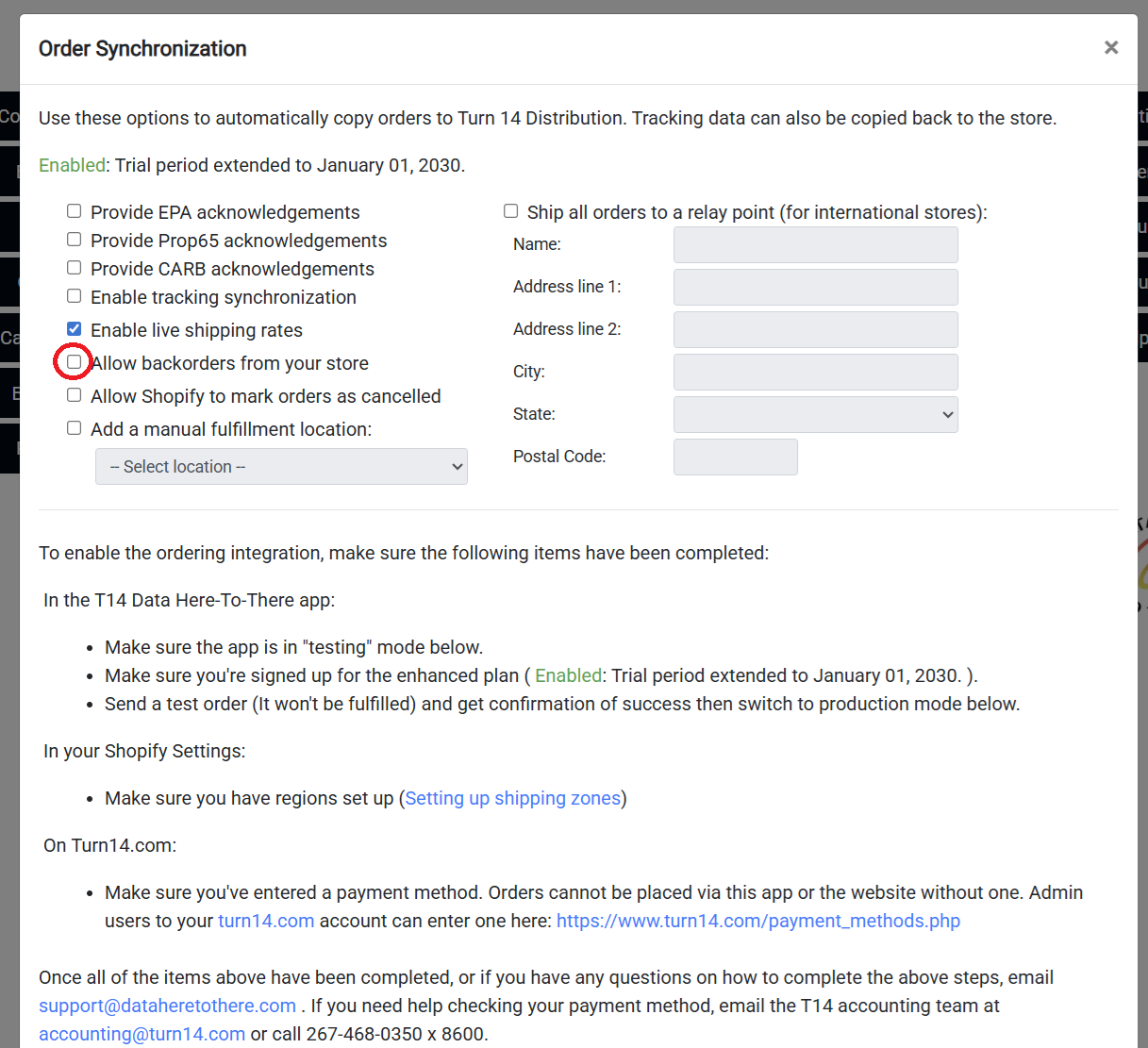
2. If you don't want to allow manufacturer inventory at all, have manufacturer inventory disabled and backorders disabled
- Listing is inactive
- Orders cannot be processed
3. If you want to allow backorders for all products (regardless of manufacturer inventory) have backorders enabled
- Listing is active
- Orders can be processed
Was this article helpful?
That’s Great!
Thank you for your feedback
Sorry! We couldn't be helpful
Thank you for your feedback
Feedback sent
We appreciate your effort and will try to fix the article